RCA2GO: Timeline after
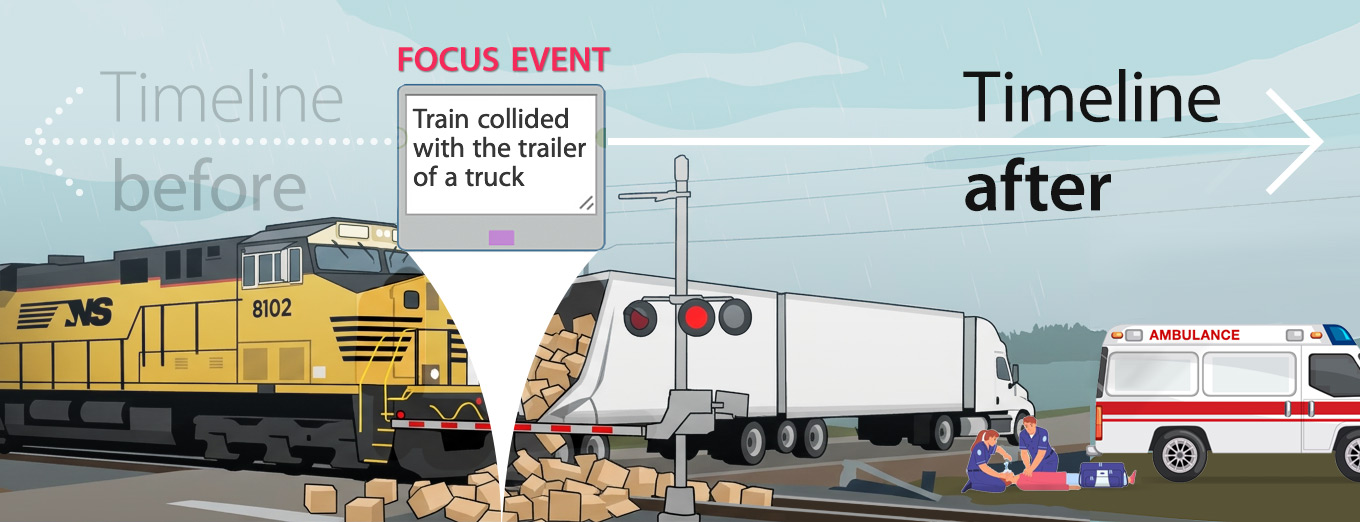
The Timeline After tree, which is unique to RCA2GO, helps broaden understanding of the impacts of the focus event, the new problems it created, and how recovery actions following the Focus event were executed and could be improved.

Timelines of events
RCA2GO supports both Timeline before and Timeline after. Timeline before comes with a toolkit that helps you establish and then analyse the series of events that happened before the Problem (or Focus Event). Similarly, Timeline after comes with a toolkit that helps you record all events that followed (and maybe still follow, or echo) the Focus Event.

Creating Timeline early in an investigation is essential. It helps identify all the different topics that should be discussed, considered, and, if necessary, further pursued. It also helps focus on finding relevant evidence. The information included in Timelines will serve as the foundation when constructing cause and consequence trees.
The video below demonstrates how three unrelated timelines converge to cause the accident. In the previous article, it was explored how Investigators assembled a Timeline before about the 1. train and crew, 2. the truck and driver and 3. the crossing itself. In this article, we explore what they need to do after the accident.
RCA2GO Timeline feature video: A train collided with the trailer of a truck.
Click the video to play it.

Timeline after: construction
|
|
1. Launch Timeline after
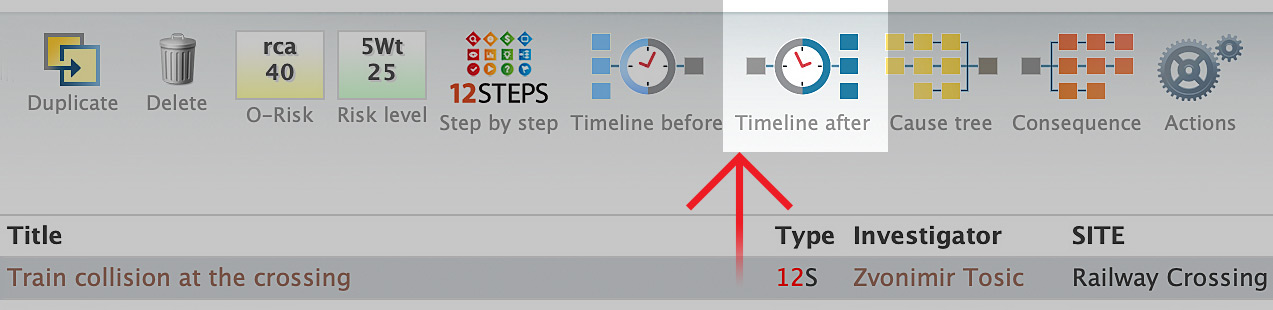
As the screenshot shows, 12STEPS issues (or issues which were escalated to a full 12STEPS Root Cause Analysis) come with dedicated buttons for Timeline before, Timeline after, Cause tree and Consequences tree. Click on Timeline after.
NOTE: All this is shown in the video, but we will explain here why the Timeline was constructed as such.
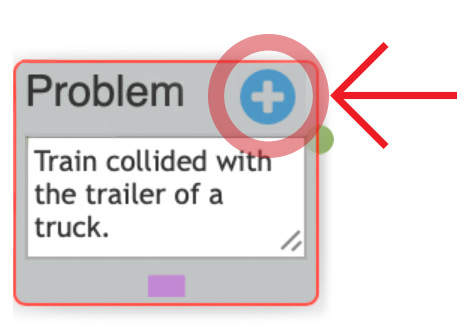
2. Consider what event lines after the collision should be exploredConsidering what has been explored in the Timeline before, the Timeline after must continue following the main lines of events and how they unfolded after the Focus event. |
 |
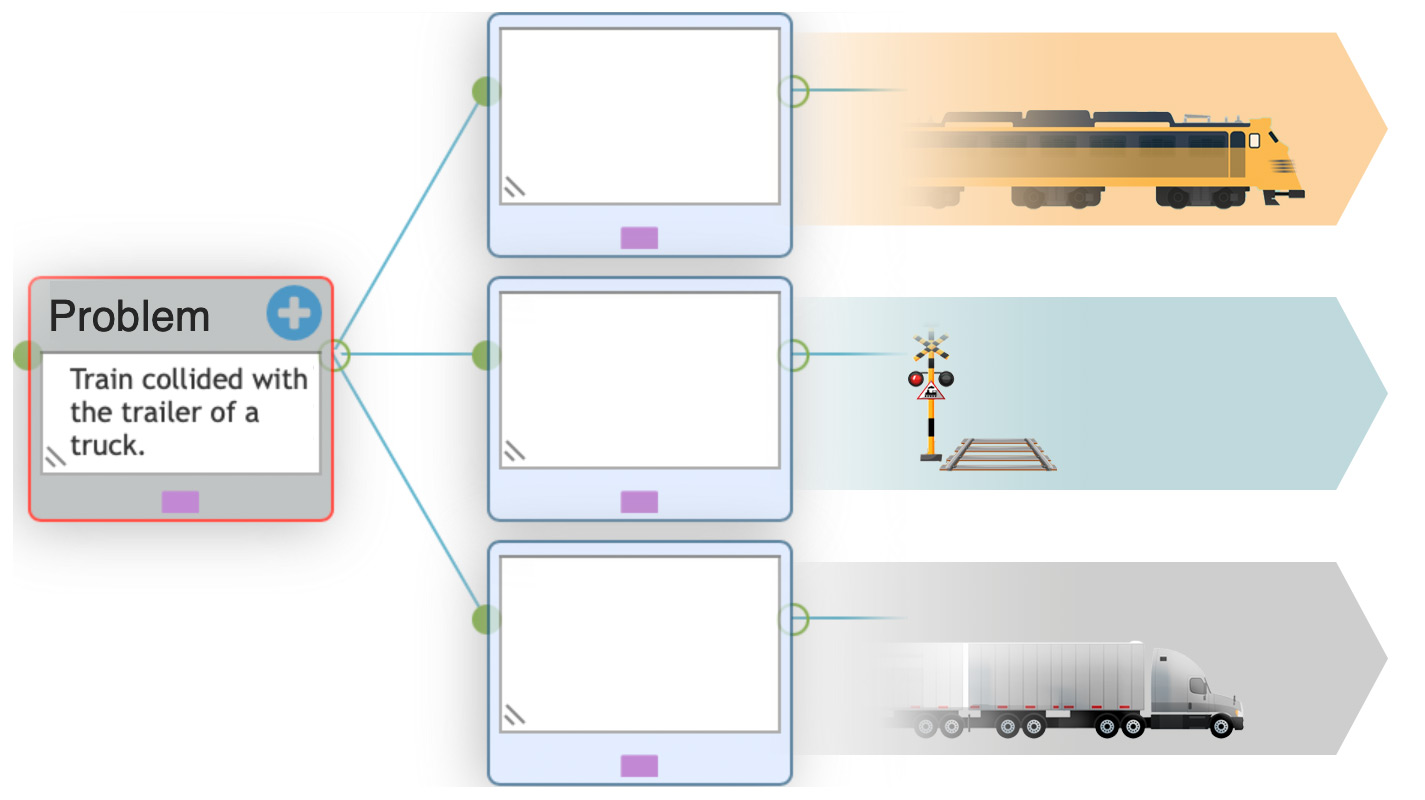
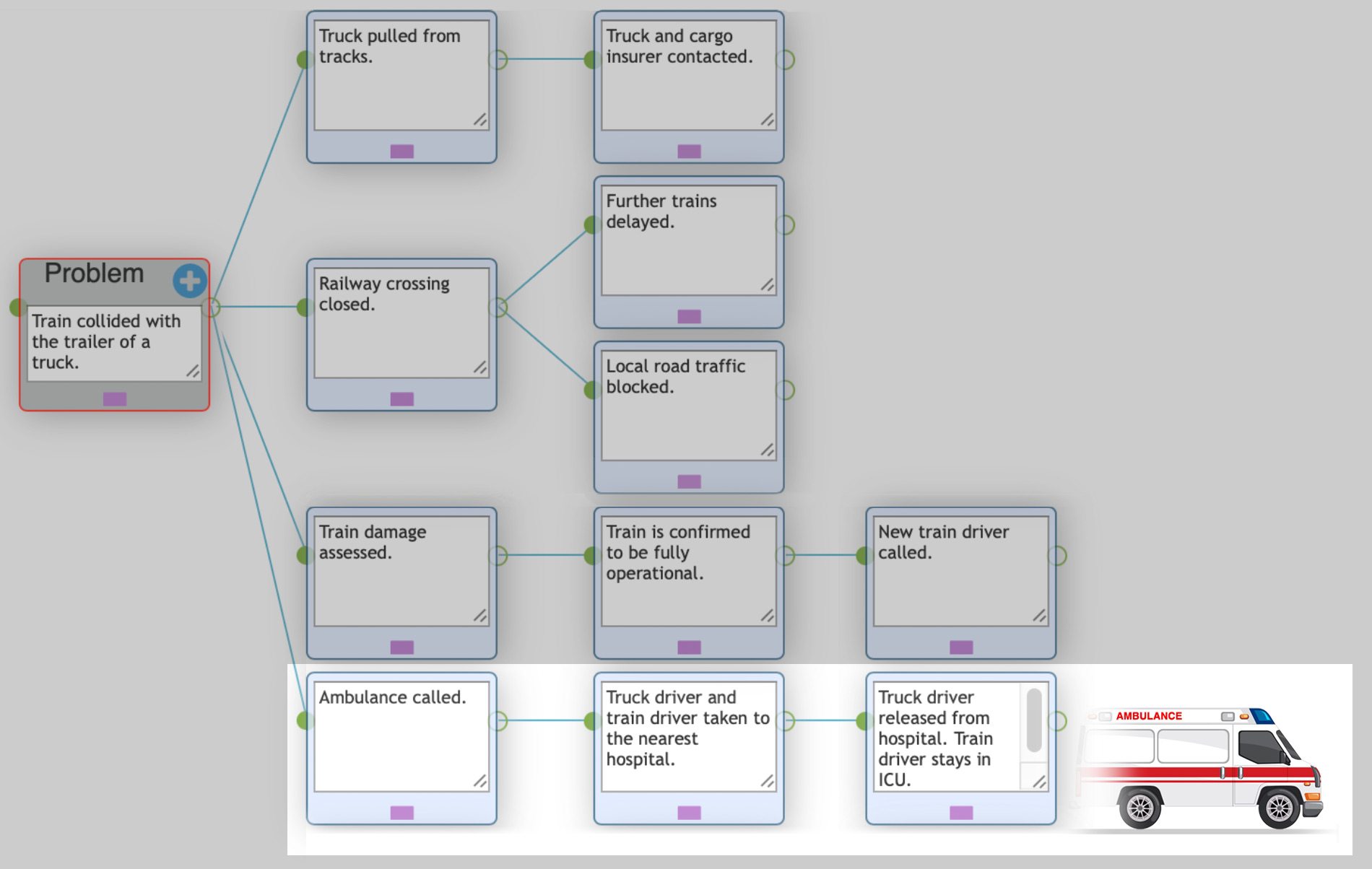
3. Begin constructing the timeline afterWe add post-events immediately visible for 1. train, |
 |
4. Develop the Timeline afterWe continue to collect data via observations at the place of collision, interviews, eyewitness testimonies, service people (police, ambulance) that were called to assist, etc. Some post-events might have specific times recorded (for example, the time the ambulance received a call to come), while others may only provide a general timeframe or a time-span. Use dedicated fields in the Timeline after to capture as much information as possible, before the scene changes its appearance (for example, the wind might have carried away some harmful ingredients from ruptured boxes that the truck was carrying), and before people involved begin to lose track of the details. |
|
|
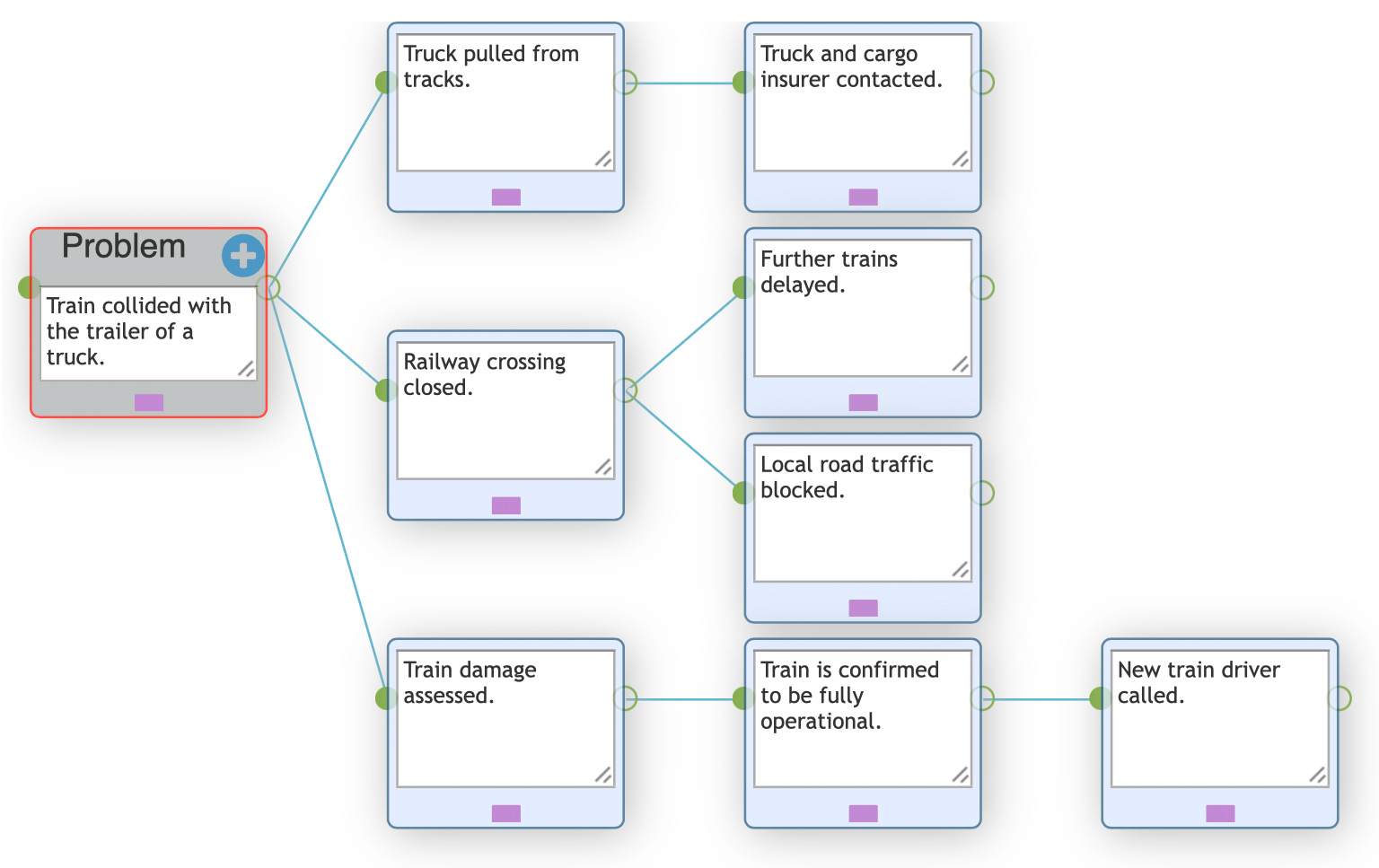
5. Revisit and expandIn this exercise, after the initial record of events involving the 1. train, 2. the crossing and 3. the truck, it was required to add a new one, 4. ambulance, which was called to assist both the train driver and the truck driver. This is a good example of how the timeline may be expanded with events you learn about as your investigation progresses, as new evidence emerges about additional consequences the collision had on the immediate environment, local traffic, regional train services, etc. It may also uncover weaknesses in the broader transportation and commuting system, either generally or under specific weather conditions. Etc. |
|
|
CONCLUSION
Many accidents in any organisation can be illustrated with a similar scenario, in which we
A. have several independent lines of events developing,
B. event lines colliding at one point, called the Focus Event (or simply, the Problem),
C. developing further, producing a set of (unwanted) new event lines and consequences.
The goal of good problem solving is that A) events like this, B) the problem and C) its consequences, never occur again.