RCA2GO: Timeline before
A key step in Root Cause Analysis is understanding the series of events that led up to the Focus Event. RCA2GO software allows easy building of complex Timeline before with multiple streams of events. Similarly, the Timeline after tree helps to develop an understanding of the impact of the focus event, and how recovery actions were executed and could be improved. .

Timelines of events
RCA2GO supports both Timeline before and Timeline after. Timeline before comes with a toolkit that helps you establish and then analyse the series of events that happened before the Problem (or Focus Event). Similarly, Timeline after comes with a toolkit that helps you record all events that follow (and maybe still follow) the Focus Event.

The development of a Timeline early in an investigation helps to identify all of the different topics that will need to be considered and plan for the gathering of evidence. This information and evidence will become the key ingredient when building Cause and Consequence trees.
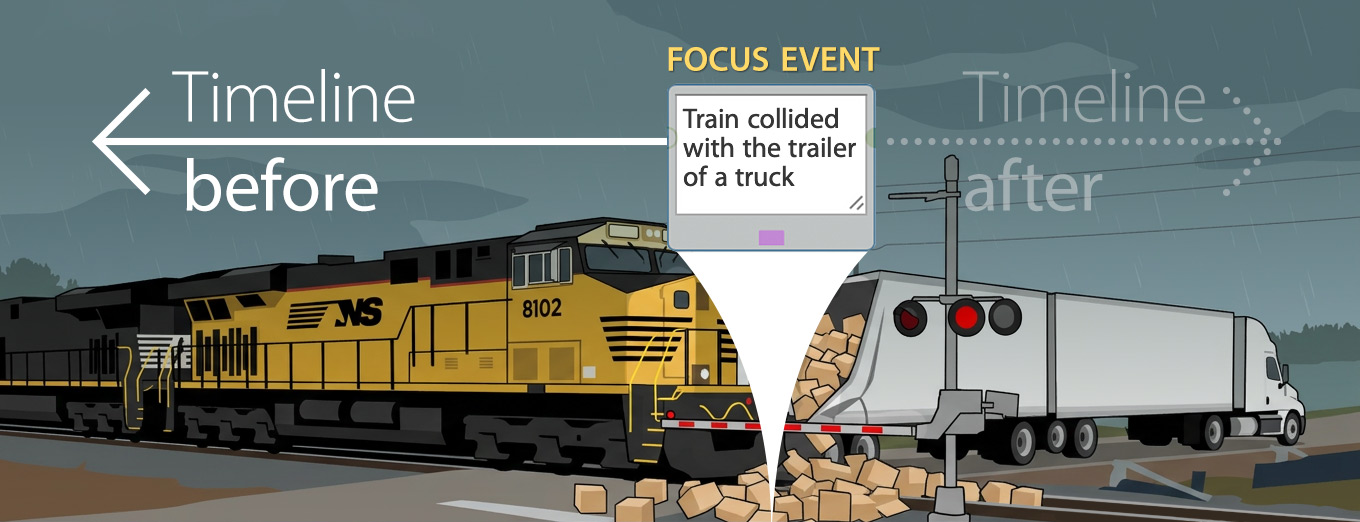
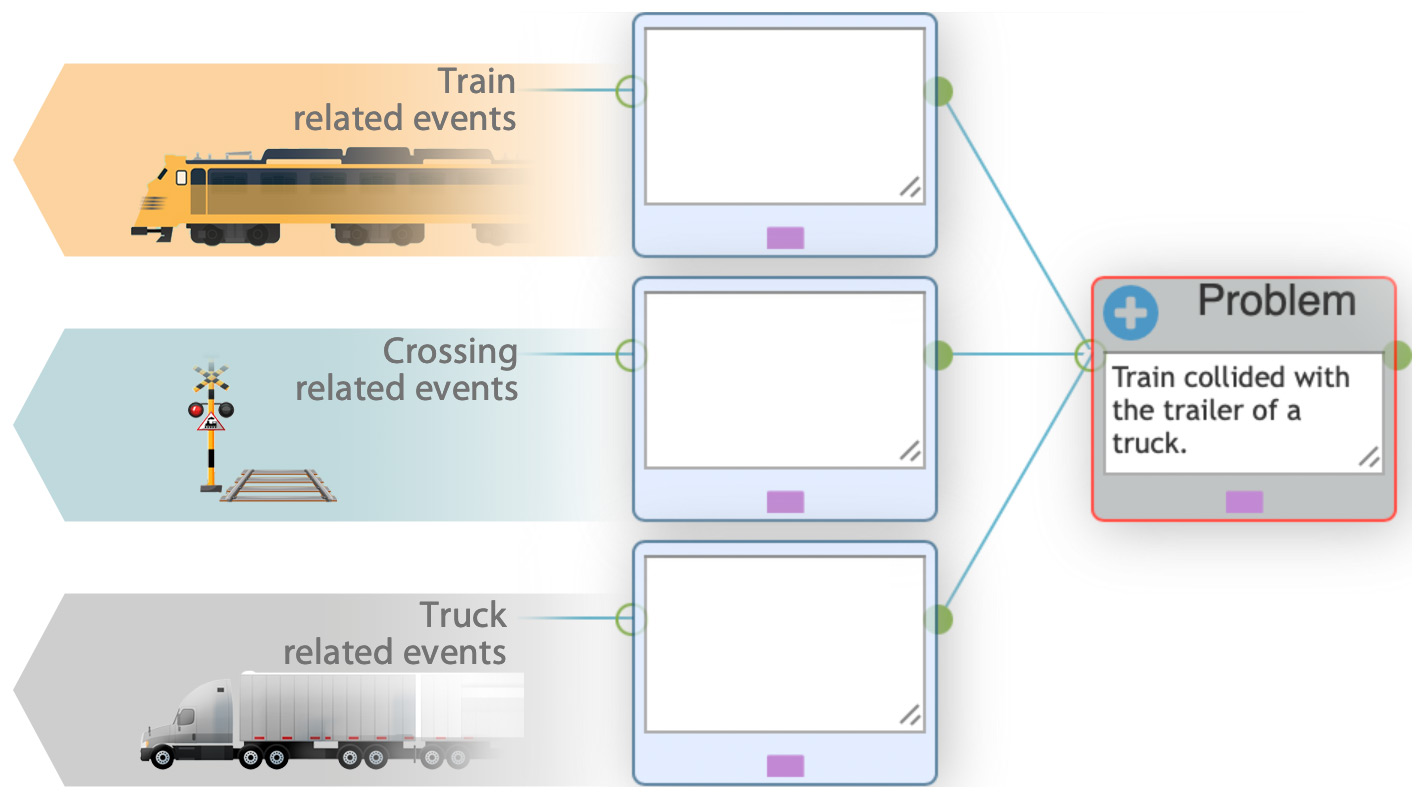
The video below shows how three, otherwise unrelated timelines, come together at one place to make the accident happen. Investigators will need to gather evidence about the 1. train and crew, 2. the truck and driver and the 3. crossing itself. Setting out the events on all three timelines allows assessors to identify what evidence must be gathered, so a plan can be developed.
RCA2GO Timeline feature video: A train collided with the trailer of a truck.
Click video to play it.

Timeline before: construction
|
|
1. Launch Timeline before
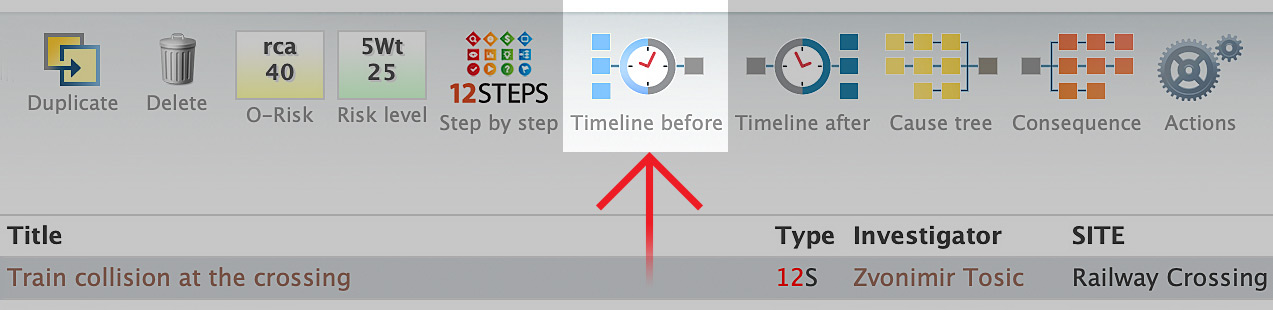
In RCA2GO, every issue has a dedicated toolbar. Each icon or button in the toolbar is a shortcut the most commonly used tools, which help you solve the issue as efficiently as possible. As the screenshot shows, 12STEPS issues (or issues which were escalated to a full 12STEPS Root Cause Analysis) come with dedicated buttons for Timeline Before, Timeline after, Cause tree and Consequences tree. Click on Timeline before.
NOTE: All this is shown in the video, but we will explain here why the Timeline was constructed as such.
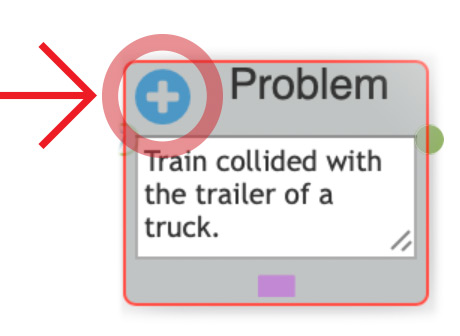
2. Consider what event lines should be exploredWhen launched for the first time, the Timeline before contains only the box for the Focus Event (or the Problem statement). That box is the central point of our investigations for building timelines and cause trees. To begin a Timeline before, consider what happened and what “players” were involved in the incident. To begin adding events, click on the (+) button on the Problem statement box. |
 |
3. Begin constructing the timelineFor a simple problem, we may have only one event line, but for a problem like a train collision with the trailer of a truck (at the crossing), we will begin analysing events related to the 1. train, |
 |
4. Develop the timelineTo establish a sequence of important events, we collect data via interviews, exploring computer and paper logs, maintenance schedules, properly dated reports, files, eyewitness testimonies, instruments and sensors’ records, phone call logs, etc. Some events might have specific times recorded, while others may only provide a general timeframe. Use Timeline to input and capture as much information as possible right away, before the people involved start to lose track of the details. |
|
|
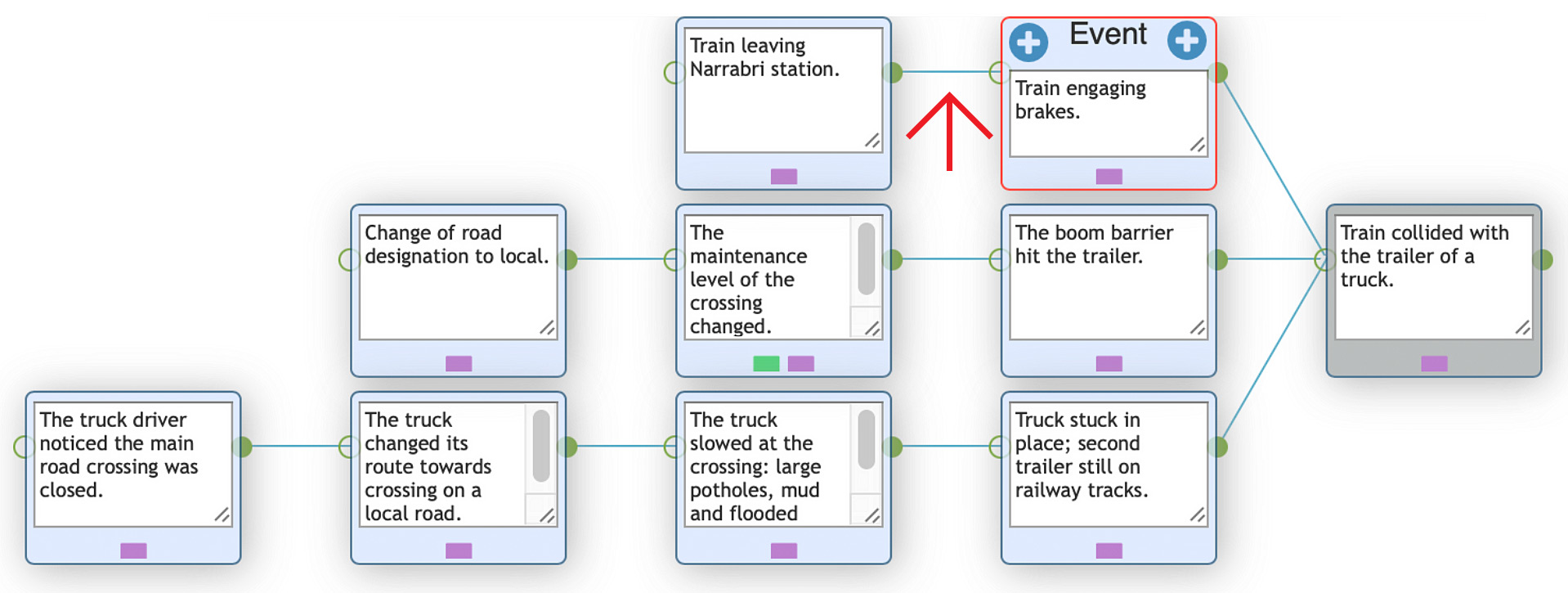
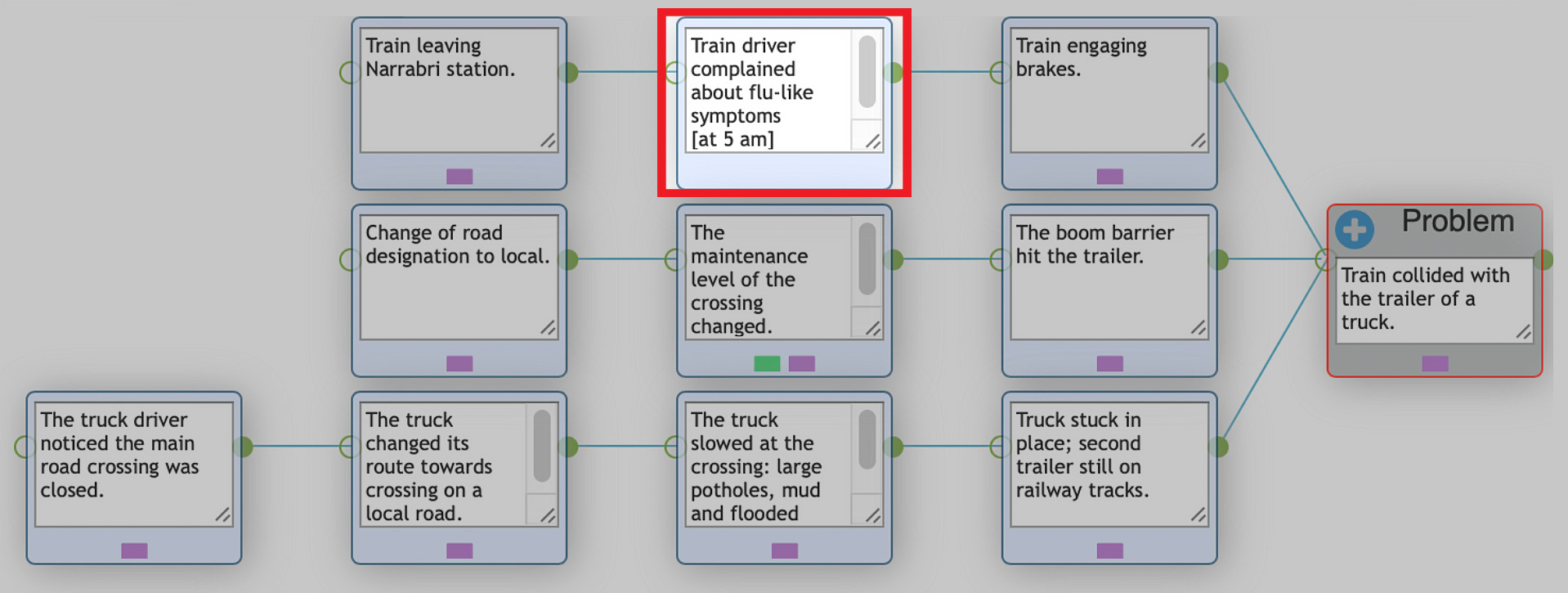
5. Revisit and expandIn this example, after the initial analysis, the investigators have collected some data that helped construct three event lines, for the 1. train, 2. the crossing and 3. the truck. However, a few days later, in the hospital, the train driver reported feeling flu-like symptoms after leaving the station. He also mentioned calling the control center to inform them about it. Considering that it might impair his vision or cause lag in decision-making, that event was added between two other events. This is an example of how the timeline may be expanded with events you learn about as your investigation progresses. |
|
|
CONCLUSION
Many accidents in any organisation can be illustrated with a similar scenario, in which we
A. have several independent lines of events developing,
B. event lines colliding at one point, called the Focus Event (or simply, the Problem),
C. developing further, producing a set of (unwanted) consequences.
We want that A) events like this, B) the problem and C) its consequences, never occur again. In the next article, we’ll dwell on features of the Timeline in more detail.